
Buick Dashboard Symbols and Warning Lights Explained
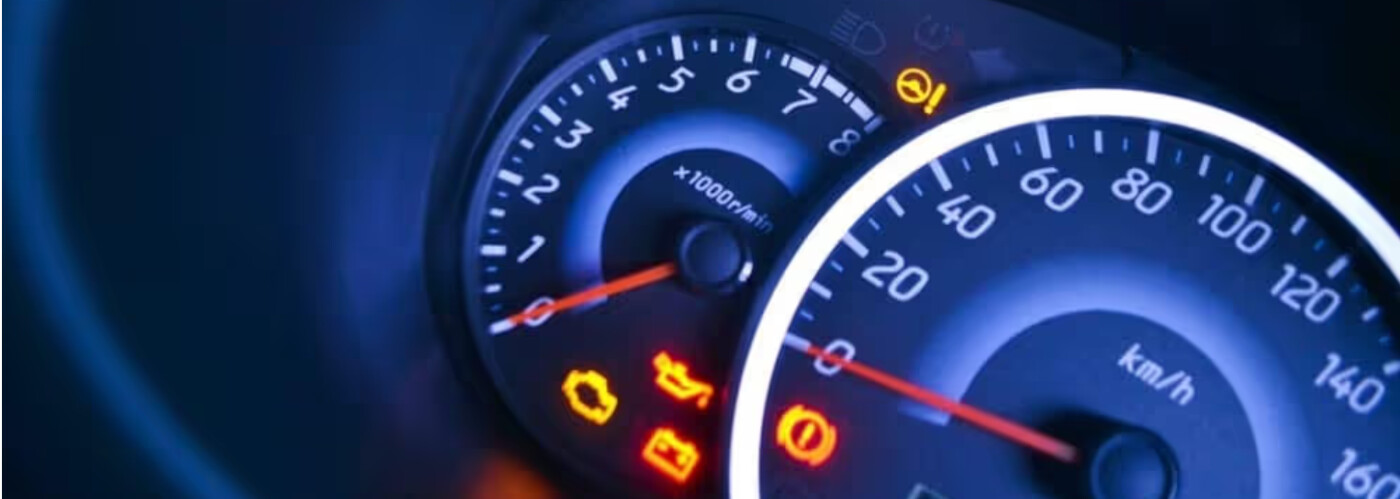
Every new Buick is equipped with the latest technology, ensuring you have the capability and connectivity to take on your Bettendorf journeys. But with so many features and amenities now available in your vehicle, you’ll likely see Buick dashboard symbols you can’t explain. What does a half-closed eye mean? Or the turtle? To help, Green Buick GMC’s service team has compiled this list of Buick dashboard lights, icons, and meanings so you can easily decipher your vehicle’s needs as you travel through Moline. Get all the details in the comprehensive breakdown below.
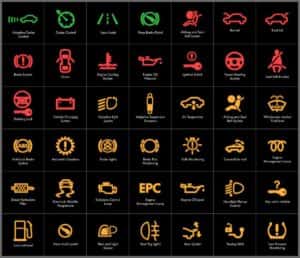
All Buick Dashboard Symbols Explained
Buick Warning Lights: Seatbelt & Airbag
- Driver Seatbelt Reminder: This light shows a person with a seatbelt on and indicates that the driver should buckle their seatbelt as soon as possible.
- Front Passenger Seatbelt Reminder: This warning light looks the same as the Driver Seatbelt Reminder, but with a “2” on the right-hand side. It indicates that the front passenger should buckle their seatbelt.
- Rear Seat Passenger Seatbelt Reminder: This light shows three people in a row with their seatbelts on and warns that at least one passenger in the rear seat does not have their seatbelt on.
- Airbag Readiness Light: This light depicts a person with their seatbelt on and a red circle in front of them. When it flashes once at the beginning of your drive and turns off, it indicates that your airbag is ready. If it stays on, bring your vehicle into a service center immediately.
- Passenger Airbag Status Light: This symbol is the same as the Airbag Readiness Light above, but only turns on if a passenger is also in the car. The same advice holds true: if it flashes once and says “On,” it’s functioning, but if it stays on and has both “On” and “Off” lit, your vehicle needs service as soon as possible.
Buick Warning Lights: Safety & Driver-Assistance Features
- Lane Keep Assist (LKA) Icon: This light depicts two lines that appear on either side of a car lane. It will turn on when the Lane Keep Assist safety function is active.
- Lane Departure Warning (LDW) Icon: This warning light shows a car crossing a solid lane line and will flash if you begin entering a new lane without using your signal.
- Automatic Emergency Braking (AEB) Disabled Light: This light shows two cars about to hit and a star emblem above their impact point. It will illuminate if you’ve turned off your Automatic Emergency Braking function.
- Forward Collision Alert Vehicle Ahead Indicator: This icon shows the rear of a car. If it’s green, the Forward Collision Alert detects a car in front of you. If it’s orange or amber, you may be tailgating.
- Pedestrian Ahead Indicator: This light shows a person walking, much like a crosswalk sign. It will light up if your Buick senses a pedestrian or bicyclist in front of the car.
- Cruise Control Icon: This icon shows a speedometer with an arrow pointing to a certain speed. If the light is white, cruise control is on but a speed has not been selected. If it’s green, cruise control is on and a speed has been selected.
- Adaptive Cruise Control (ACC) Light: This symbol depicts a curve that looks like the top of a steering wheel with a triangle pointing downward. If the symbol is white, Adaptive Cruise Control is on, but no following gap has been set. If the symbol is green, Adaptive Cruise Control is on and functioning.
- Adaptive Cruise Control (ACC) Curve Speed Control Light: This light shows a curved road and indicates that the Adaptive Cruise Control is on and controlling your vehicle’s speed around a detected curve.
- Super Cruise Light: This light shows a steering wheel with a light bar. When it is on, it means Super Cruise is functioning.
- Driver Attention Assist Light: This symbol is a half-closed eye, and indicates that you may be tired and need a break from driving.
- Automatic Vehicle Hold (AVH) Icon: This light reads “AUTO HOLD” and will turn on when the Automatic Vehicle Hold function is active.
Buick Warning Lights: Braking, Accelerating & Steering
- Brake System Warning Light: This light reads “BRAKE” and means something is wrong with your vehicle’s brake system. Pull over to the side of the road immediately.
- Electric Parking Brake Light: This light reads “PARK.” It will turn on when the Electric Parking Brake is active.
- Service Electric Parking Brake Light: This warning light shows a “P” in the middle of a circle with a wrench below. If it turns on, there is a problem with your vehicle’s Electric Parking Brake.
- Hill Descent Control Light: This light depicts a car traveling down a hill with a speedometer above it. It is communicating that the Hill Descent Control feature is on.
- Antilock Brake System (ABS) Warning Light: This icon has the letters “ABS” inside a circle. If the light flashes once when you turn on your vehicle, then the ABS is working. If it stays on, you’ll need to come in for service.
- Traction Off Light: This light shows the letters “TC” with a line slashed diagonally across them, and indicates that your Traction Control System is disabled.
- Traction Control System/Electronic Stability Control (TCS/ESC) Light: This light shows a car with two curvy treadmarks behind it. This means that your Traction Control System is active.
- Trailer Sway Control Light: This icon depicts a car pulling a trailer with two curved arrows on either side. This means the Trailer Sway Control function is active.
- Electronic Stability Control (ESC) Off Light: This light is the same as the Traction Control System light but with the word “OFF” underneath, indicating that the Electronic Stability Control system is disabled.
- Tire Pressure Light: This icon shows an exclamation point inside a tire with tread on the bottom. If it flashes, your Tire Pressure Monitoring System needs service. If it stays on, it means one of your tires is underinflated.
- Security Light: This light shows a car with a locked padlock and indicates that your theft-deterrent system is working.
- Vehicle Ready Light: This light depicts a side-view of a car and has the word “READY” underneath. Your vehicle is ready to drive.
- Door Ajar Light: This icon shows the top view of a car with one door open and indicates that one or more doors are not fully closed.
Buick Warning Lights: Engine & Battery
- Check Engine Light: This icon depicts a side-view of an engine and only turns on if the vehicle has detected a malfunction in the propulsion system.
- Engine Coolant Temperature Warning Light: This light shows a thermometer partly submerged in liquid. If this light turns on, your engine is overheated.
- Engine Oil Pressure Light: This warning light shows a thermometer above an oil canister, and may indicate that your oil level is below the normal operating range.
- Low Fuel Warning Light: This icon depicts a gas pump and will turn on when your vehicle is low on gas.
- Charging System Light: This light shows a battery with “-” and “+” symbols on either side, indicating that there may be a problem with your vehicle’s electrical system.
- Battery Fault Light: This icon is similar to the Charging System Light but has an exclamation point in the center and two more battery icons behind the first. Bring your vehicle in for service immediately.
- Propulsion Power Limited Light: This icon depicts a turtle enclosed in a circle and will turn on if your vehicle detects a malfunction in the propulsion system.
Buick Warning Lights: Headlamps
- IntelliBeam Auto High Beam Icon: This light shows a headlight shining with the words “AUTO” underneath. If the icon is green or white, IntelliBeam is on. If the icon is blue, IntelliBeam has automatically turned on your high beams.
- High Beam Light Icon: This light looks similar to the IntelliBeam light without the “AUTO” underneath. It turns on whenever you switch from low beams to high beams.
- Lamps On Reminder Light: This icon depicts two headlights shining in opposite directions. This light will turn on when you have your headlights on.
- Adaptive Forward Lighting Light: This light shows a headlight shining forward with a curved arrow pointing to its left and right. It indicates that there is an issue with the Adaptive Forward Lighting system.
- Front Fog Lamp Light: This light shows a headlamp with light being dispersed by a curved line of fog. It indicates that your fog lamps are turned on.
Schedule Service With the Team at Green Buick GMC Today
Now that you’ve had all the Buick dashboard symbols explained, it’s time to bring your car in for service at Green Buick GMC! Schedule an appointment with our certified technicians in Davenport, and our team will get you back on the Rock Island roads as soon as possible. We even have Buick Protection Plans to suit your needs! In the meantime, learn more service tips and tricks to keep you and your Buick running for years to come.

0 comment(s) so far on Buick Dashboard Symbols and Warning Lights Explained